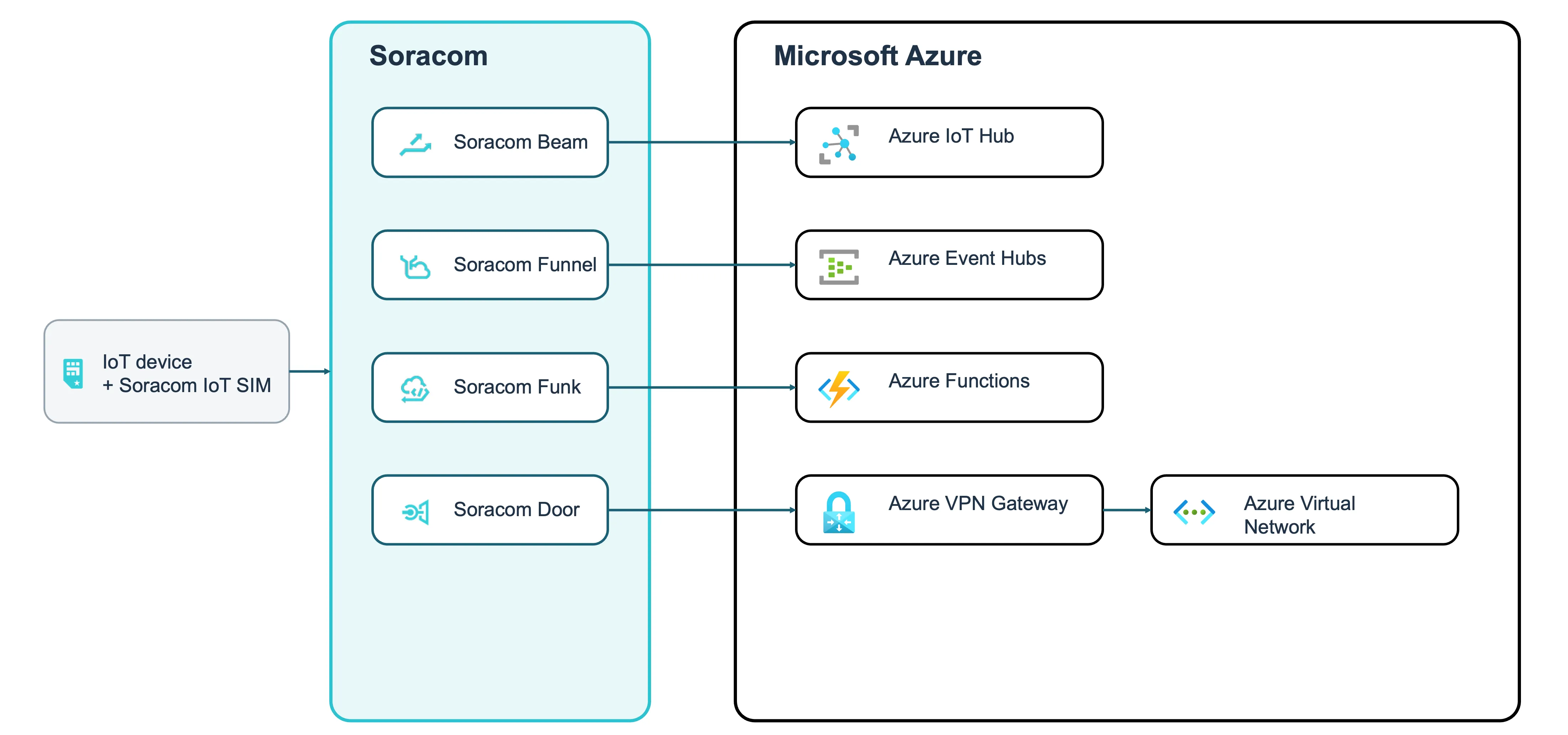
Soracom services connect cellular IoT devices to Microsoft Azure. You register your Azure credentials in the Soracom User Console, so devices don't need to store connection strings or keys.
Send messages to Azure IoT Hub
Soracom Beam forwards MQTT messages from the device to Azure IoT Hub. Beam adds TLS encryption and authenticates with an IoT Hub shared access policy key that you register in Soracom.
Stream data to Azure Event Hubs
Soracom Funnel sends data from the device to an event hub through the Funnel Azure Event Hubs adapter.
Run Azure Functions
Soracom Funk invokes an HTTP-triggered function and returns the function's result to the device.
Connect to an Azure virtual network
Soracom Door establishes a VPN connection between Soracom and Azure VPN Gateway, so that devices can communicate privately with resources in an Azure virtual network.