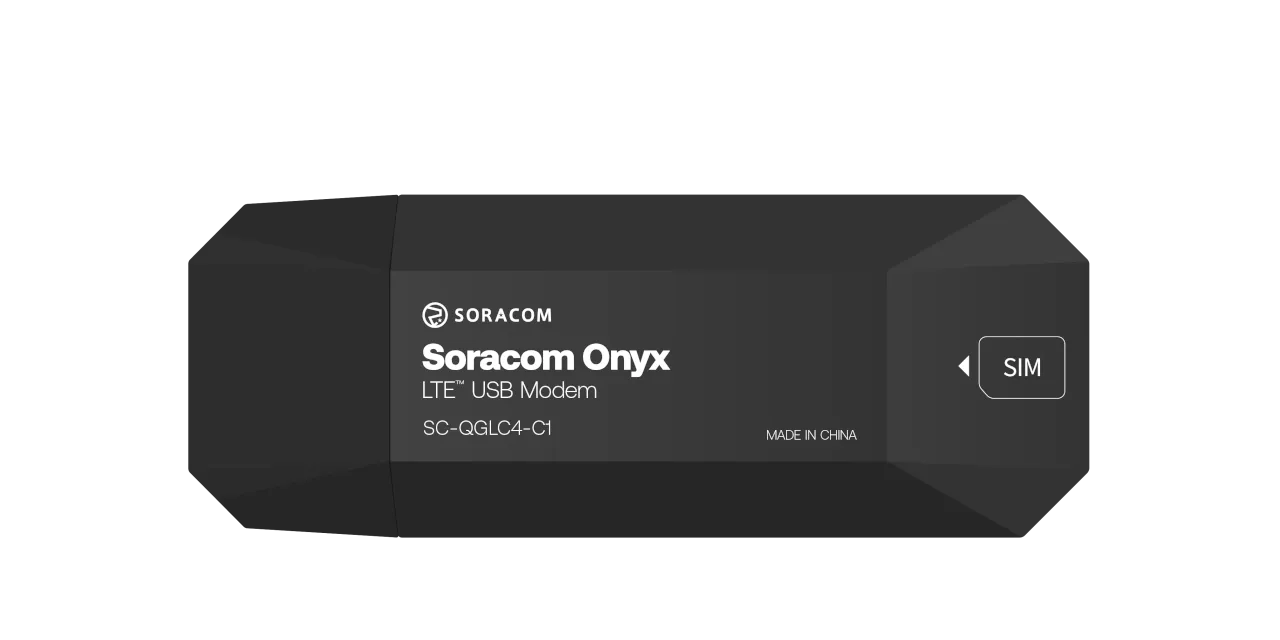
# Soracom Onyx LTE™ USB Modem
Plug-and-play USB modem with global 4G connectivity.
The Soracom Onyx LTE™ USB Modem delivers secure cellular connectivity with no additional hardware or carrier negotiation required.
## Models
The Soracom Onyx LTE™ USB Modem comes in three configurations, each tailored to a different SIM setup.
[Buy the Soracom Onyx LTE™ USB Modem](https://soracom.io/onyx-usb-lte-modem/buy-onyx).
The table below describes the features available for each SKU:
|
Model |
Part # |
SIM Configuration |
Features |
| - | - | - | - |
| Onyx LTE USB Modem (global eSIM) | 4573326591591 | Embedded eSIM | - Most advanced and durable
- Industrial-grade MFF2 eSIM
- Global multicarrier connectivity based on [plan01s](https://docs.soracom.io/en/coverage?plan=Plan01s)
- Vibration & tamper resistant
- Resists extreme temperature & humidity
- Switch plans with [Subscription Containers](https://docs.soracom.io/en/services/air/subscription-containers) |
| Onyx LTE USB Modem (pre-inserted SIM) | 4573326592604 | Nano SIM (pre-installed) | - Simplest setup
- Nano IoT SIM pre-installed
- Global multicarrier connectivity based on [plan01s](https://docs.soracom.io/en/coverage?plan=Plan01s)
- Switch plans with [Subscription Containers](https://docs.soracom.io/en/services/air/subscription-containers)
- SIM card replaceable manually |
| Onyx LTE USB Modem (4FF SIM slot) | 4573326591584 | No SIM included | - Manually install SIM of choice
- Does not include connectivity management platform |
## Getting Started
To get started, you will need to meet the following requirements:
- A **[Soracom account](https://auth.soracom.io/signup/console#/)**, with a valid **[Payment Method](https://docs.soracom.io/en/services/account/payments)** registered
- A **[Soracom Onyx LTE™ USB Modem](https://www.soracom.io/onyx-usb-lte-modem/)** with a Soracom Air for Cellular eSIM, pre-inserted IoT SIM, or a separate IoT SIM (nano or 4FF size)
- A Linux device with a USB 2.0 or USB 3.0 (recommended) port, such as a Raspberry Pi or Linux computer
> [!NOTE]
>
> The Onyx modem is designed for use with Linux-based operating systems. While it may function on non-Linux operating systems such as Windows, Android, or macOS, Soracom does not provide official support for these environments.
### SIM Registration
Registering your Soracom Air IoT SIM card to your Soracom account both activates its service and enables you to access Soracom features.
Soracom SIM cards come in a variety of form factors, such as embedded or pre-inserted in a device, or separately as part of a connectivity kit. If you have not already done so, take a moment to follow the instructions in the [**SIM Registration**](https://docs.soracom.io/en/services/air/registration) documentation to see how to register a variety of Soracom SIM cards to your account.
> [!WARNING]
>
> Note that a Soracom subscription profile is already preloaded onto the MFF2 form factor eSIM in the Soracom Onyx LTE™ USB Modem. **There is no need to download a Soracom eSIM profile after purchase**.
>
> If you purchased a Soracom Onyx LTE™ USB Modem with an eSIM or a pre-inserted IoT SIM from a third-party vendor, you can find the ICCID and PUK needed to register your SIM card underneath the rear cover of the modem.
### Software and Hardware Setup
Continue on to the [Software Setup](https://docs.soracom.io/en/devices/soracom-onyx-lte-usb-modem/software-setup) page to manage your cellular connection. Additionally, refer to the [Hardware Setup](https://docs.soracom.io/en/devices/soracom-onyx-lte-usb-modem/hardware-setup) if you intend to use your Onyx modem with a separate IoT SIM (not an eSIM or pre-inserted SIM).